To memorialize the Facebook account of someone who has died, fill in Facebook’s Memorialization request form. Paste a link to their profile, give the date they passed away, and upload proof such as an obituary, death certificate or memorial card. Once Facebook approves it, the profile shows Remembering next to their name.
What to know
- Family or friends can send the request. Facebook suggests friends contact the family first.
- After memorialization, nobody can log in. Posts and photos stay up for the same audience as before.
- Would rather close the account? An immediate family member or the executor can ask Facebook to remove it instead.
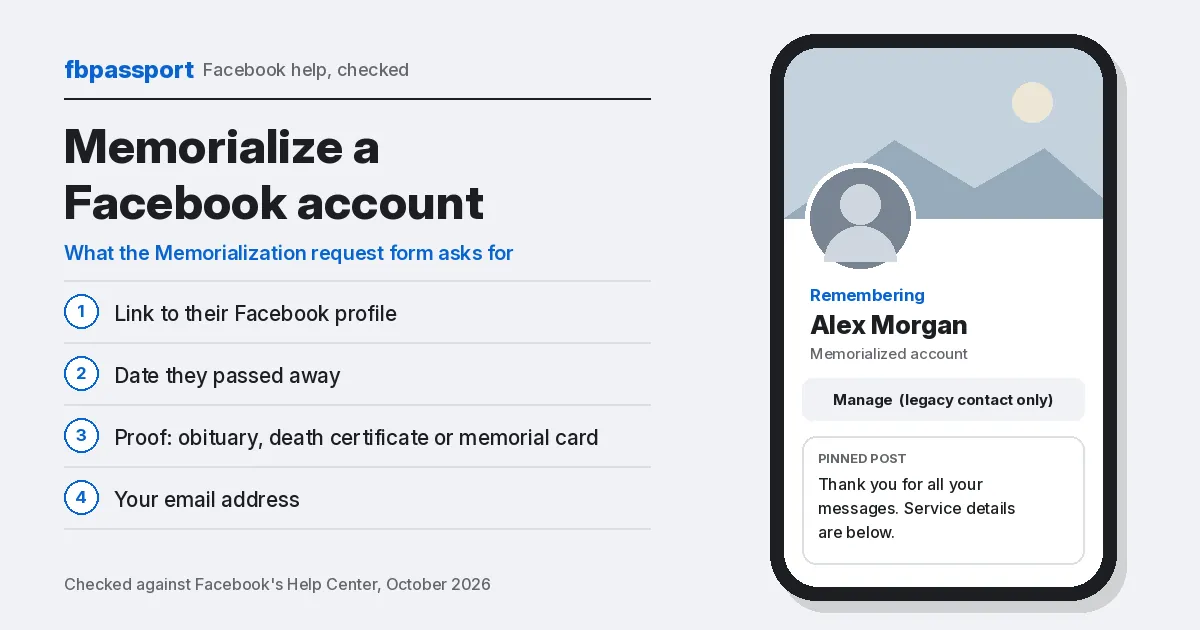
What you need before you start
- A link to their profile. Open their profile and copy the address from your browser, or use the profile’s share or copy link option in the app.
- The date they passed away. The form asks for the year, month and day. If you aren’t sure, ask a family member.
- Proof of death. A scan or photo of an obituary, death certificate, memorial card or similar document. If the obituary is online, a screenshot works.
- Your email address, so Facebook can reply.
The details on your document must match the account, so check the name and spelling before you upload.
How to request memorialization
The form is a web page, so it works on a phone or a computer.
- Open the Memorialization request form. Log in to your own account if Facebook asks.
- Under Who passed away?, paste the link to their profile.
- Under When did they pass away?, pick the year, month and day.
- Under Documentation of death, upload the photo or scan of your proof.
- Enter your email address and submit the form.
Can’t find their profile? Use Facebook’s special request form for a deceased person’s account instead.
What changes on a memorialized profile
- Remembering appears next to the person’s name.
- Nobody can log in to the account, even with the password.
- Posts and photos stay visible to the people they were shared with.
- Depending on the profile’s privacy settings, friends can share memories on it.
- The profile stops showing up in birthday reminders, ads and People You May Know.
- Without a legacy contact, the profile can’t be changed at all.
- A Page where this person was the only admin is removed. A group where they were the only admin is paused.
What a legacy contact can and can’t do
A legacy contact is a Facebook friend the person chose ahead of time to look after their profile. They manage it from the profile itself: tap Manage at the bottom right of the cover photo.
| A legacy contact can | A legacy contact can’t |
|---|---|
| Write a pinned post, such as funeral details or a final message | Log in to the account |
| Change the profile picture and cover photo | Read private messages |
| Respond to new friend requests | Remove friends or send new friend requests |
| Download a copy of what was shared, if the person allowed it | Edit or remove past posts |
| Request that the account be removed |
Remove the account instead
An immediate family member or the executor can ask Facebook to delete the account rather than memorialize it. Start from Facebook’s page on removing a deceased family member’s account.
- Fastest: a scan or photo of the death certificate.
- No death certificate? Send one proof of authority (power of attorney, last will and testament, an estate letter, or a birth certificate if the person was a minor). Add one proof of death, such as an obituary or memorial card.
- If they named a legacy contact, only that person can request removal.
Cover up anything Facebook doesn’t need on your documents, such as a Social Security number.
Set this up for your own account
You can choose a legacy contact now, or ask for your account to be deleted after you die.
- Tap your profile picture, then Settings & privacy → Settings.
- Open Accounts Center. Then tap Profiles and personal details or Manage accounts, whichever you see at the bottom.
- Tap Account ownership and control → Memorialization, then choose your account.
- Pick Memorialize account, tap Next, and type a friend’s name. Or pick Delete after death.
- Choose whether they can download your data, then tap Save.
Facebook is gradually moving people from Accounts Center to Meta Account, so your menu names may differ. You must be 18 or older, the legacy contact must be a Facebook friend, and you can name only one. This only covers your main profile.
If it’s not working
- No reply yet? Facebook doesn’t publish a processing time. Watch the email address you used on the form.
- Request turned down? The details on your document must match the account. Check the name and date, then send a clearer copy.
- Knowing the password doesn’t help. Facebook says nobody can log in to a memorialized account, so use the form instead.
- Want to lock down your own account too? Change your Facebook password or read how permanent deletion works.
FAQ
Who can ask Facebook to memorialize an account?
Family members and friends can send the request with proof of death. If you aren’t family or a close friend, Facebook recommends talking to the family first.
Can I memorialize an account without a death certificate?
Yes. For memorialization, Facebook also accepts an obituary, a memorial card or other documents confirming the death. Removal is stricter and works fastest with a death certificate.
Can a legacy contact read the person’s messages?
No. A legacy contact can’t log in or read private messages. They can only manage the profile through the Manage button.
Can a memorialized account be deleted later?
Yes. The legacy contact can request removal. Without one, an immediate family member or the executor can apply with the documents listed above.
Checked against Facebook’s Help Center, October 2026. Sources: Facebook Help Center: About legacy contacts, CyberGuy on Fox News (April 2025).

Leave a Reply