To unblock someone on Facebook, open Settings & privacy → Settings → Blocking, find their name in your blocked list, and tap Unblock, then confirm. The same screen shows everyone you’ve ever blocked. One catch: after you unblock someone, Facebook stops you from blocking them again for a few days. Verified against the Facebook app and facebook.com in August 2026.
Fastest route: if you’re already logged in — including reading this inside the Facebook app — this link opens your blocked list directly:
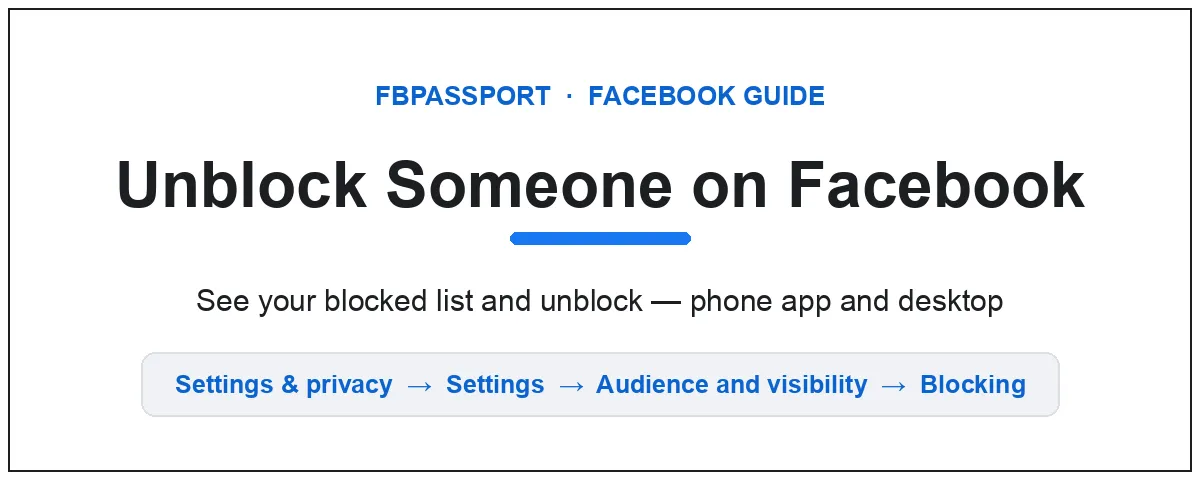
First — which of these is you?
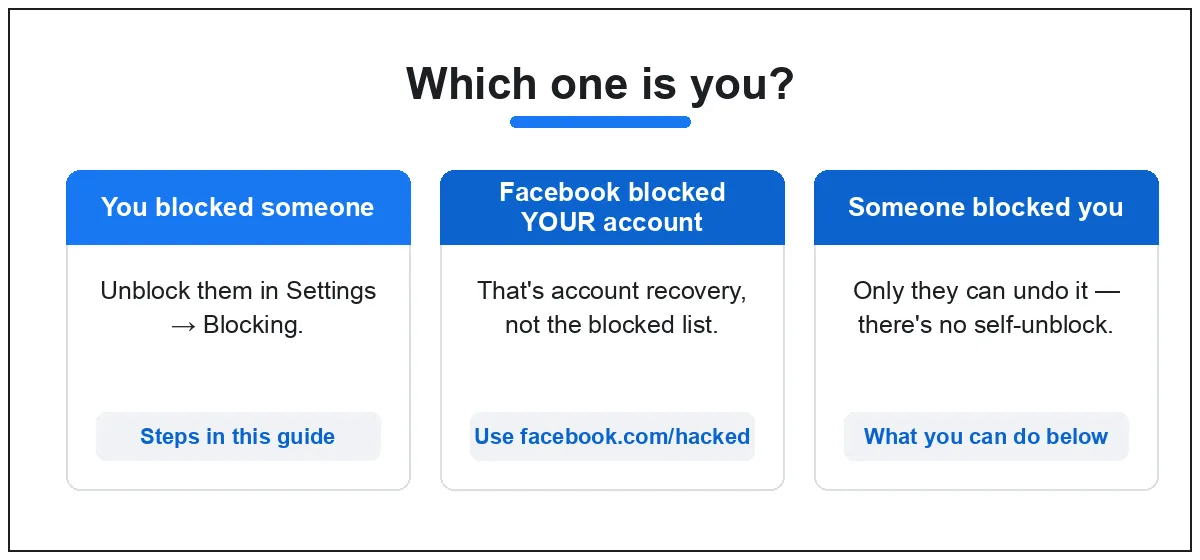
People land on this page in three different situations, and the fix is different for each:
- You blocked someone and want to undo it. That’s this guide — the steps are right below.
- Facebook blocked, suspended or disabled your account. That’s account recovery, not the blocked list — jump to what to do.
- Someone blocked you. There’s no way to unblock yourself — here’s what you can and can’t do.
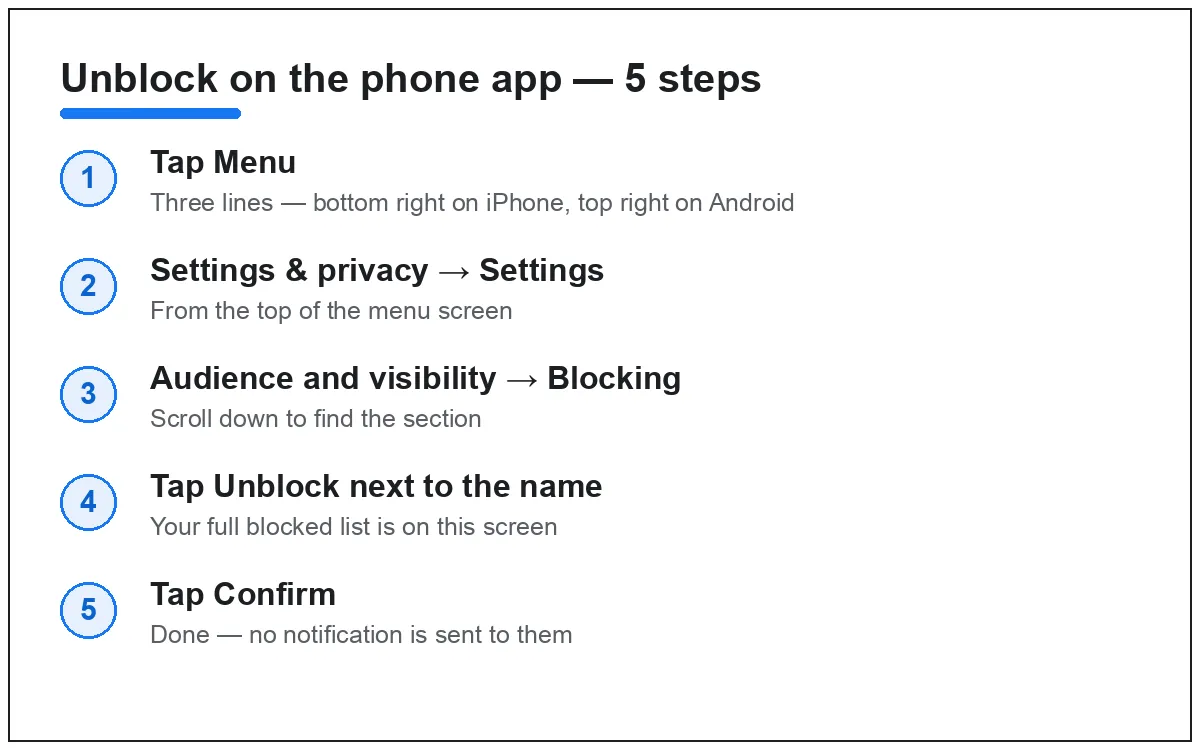
See your blocked list and unblock on the phone app
- Open the Facebook app and tap Menu (three lines — bottom right on iPhone, top right on Android).
- Tap Settings & privacy, then Settings.
- Scroll to the Audience and visibility section and tap Blocking.
- Your blocked list appears. Tap Unblock next to the person’s name.
- Tap Confirm. Done — they can see your public posts again and send you a friend request.
Don’t see Blocking where you expect it? Facebook moves menu items around between app versions. Open Settings, then type “blocking” in the search bar at the top — it jumps straight there.
Using Facebook Lite? Tap Menu (three lines) → Settings, then find Blocking in the list — Lite keeps its settings in one flat list. The same Unblock button is there. If you can’t spot it, use the search box at the top of Settings.
On a computer (facebook.com)
- Log in at facebook.com and click your profile picture in the top right.
- Click Settings & privacy, then Settings.
- In the left menu, under Audience and visibility, click Blocking.
- In the Block profiles and Pages section, click Edit, then See your blocked list.
- Click Unblock next to the name, then confirm.
What actually happens when you unblock someone
- They are not notified. Facebook never tells someone they’ve been blocked or unblocked.
- You are not friends again. Blocking removed the friendship. One of you has to send a new friend request.
- The re-block wait. You can’t block the same person again right away — Facebook enforces a wait of a few days (many people see about 48 hours). If you’re unblocking just to check something, remember that window.
- Old messages return. Past Messenger conversations become visible again on both sides.
Can’t find the person in your blocked list?
- They may never have been blocked. Unfriending is not blocking — unfriended people don’t appear in this list. If you unfriended them, search their name and send a new friend request. Also check your Restricted list (you stay friends, they just see less): on desktop, go to Friends → Custom lists → Restricted; or open their profile and tap Friends → Edit friend list to see if Restricted is ticked.
- Check the spelling — the list is alphabetical and can be long; use your browser’s find function on desktop.
- They may have deactivated or deleted their account. Deactivated profiles drop off your visible list and come back if they return.
- You may have blocked them on Messenger only. Messenger has its own block list: in Messenger, tap your profile photo → Privacy & safety → Blocked accounts.
- Can’t see their profile after unblocking? They may have blocked you. You can’t check their list, but if their profile is invisible from your account and visible from a friend’s, that’s the usual reason.
Did Facebook block or disable your account?
If it’s your own account that’s blocked, locked or disabled, the blocked list can’t help — that’s a different problem with its own official fixes:
- Locked or disabled account: try logging in at facebook.com and follow the on-screen instructions — Facebook usually shows a review or appeal option right there.
- Hacked or compromised account: go to facebook.com/hacked and follow the guided recovery.
- Can’t remember your login: use facebook.com/login/identify to find your account by email or phone number.
One warning: only use Facebook’s own recovery pages. Anyone on social media offering “account recovery services” for a fee is running a scam — Facebook never charges to restore an account, and no outsider can force it back.
Did someone block you? You can’t unblock yourself
If another person blocked you, there is no setting, app or trick that removes their block — only they can undo it, from their own account. The signs: their profile vanishes from search, old comments show as “Facebook User”, and Messenger won’t deliver to them.
Don’t create a second account to reach them — contacting someone who blocked you through another profile breaks Facebook’s rules and can get both of your accounts disabled. If you think the block is tangled up with harassment or a hacked account, report it through Facebook’s Help Center rather than working around it.
FAQ
Will the person know I unblocked them? No. Facebook doesn’t send any notification for blocking or unblocking. They could only guess — for example, if they can suddenly find your profile in search again.
Why won’t Facebook let me block them again? After unblocking someone, Facebook makes you wait a few days before you can block the same account again — many people see about 48 hours. It’s an anti-harassment measure, and there’s no way around it — wait it out, and in the meantime you can unfriend them or restrict what they see.
Does unblocking someone make us friends again? No. Blocking permanently removed the friend connection. After unblocking, send (or accept) a new friend request if you want to reconnect.
Can I see who blocked me on Facebook? No. Facebook doesn’t show a list of people who blocked you, and any app or site claiming to reveal it is a scam. The only clues are indirect — a profile you could see before is gone from search, or their comments now read “Facebook User”.
fbPassport is an independent help site — we’re not Facebook and can’t unblock anyone, restore an account or change anything on your profile. Every fix above is something only you can do from your own account.



Leave a Reply